Xuper TV APK v7.8.1 Download Most Recent Version Android [2026]
Xuper TV brings together live channels from several Latin American countries, movies, and series in a single Android app. Here you have the APK for your phone and the APK for your TV, the steps to install them, and solutions to the most common problems.
- File verified
- No root
- Free
App information
| App name | Xuper TV |
| Latest version | v7.8.1 |
| Mobile APK size | 51.1 MB |
| APK size for TV | 32.4 MB |
| Required system | Android 5.0+ |
| Category | Entertainment, streaming |
| Devices | Phones, tablets, Android TV and TV Box |
| Language | Spanish, with some menus in English |
| Price | Free |
| Create account | There's no need |
| Updated | November 2026 |
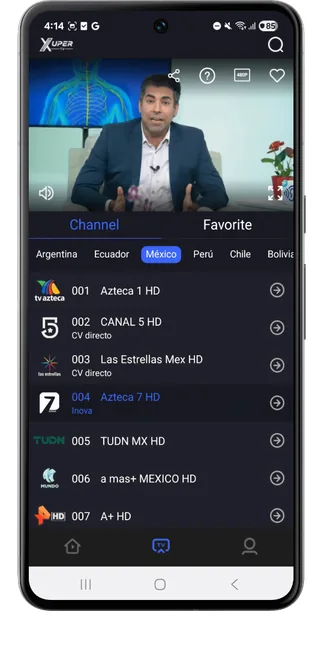
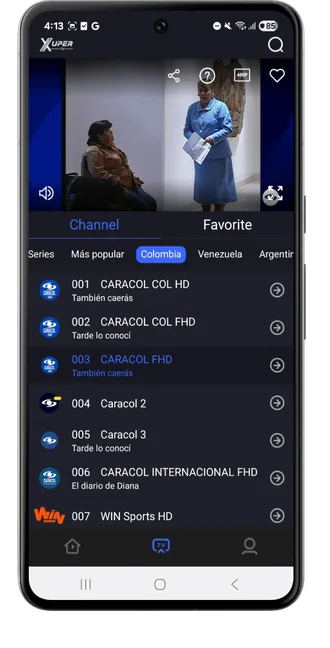
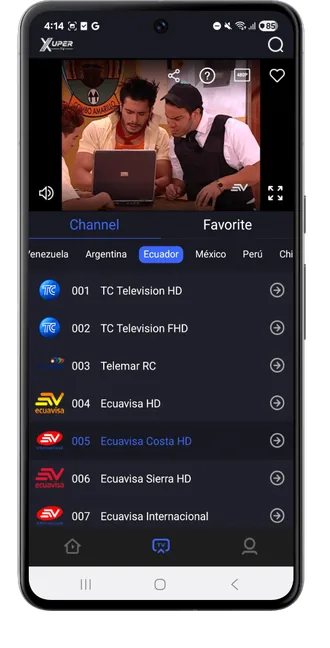
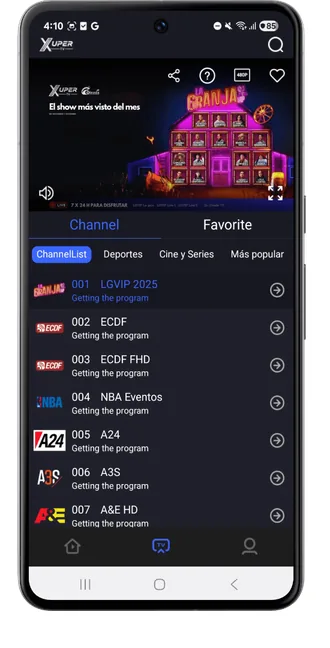
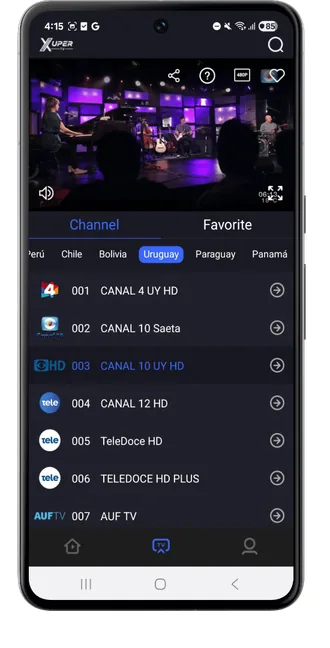
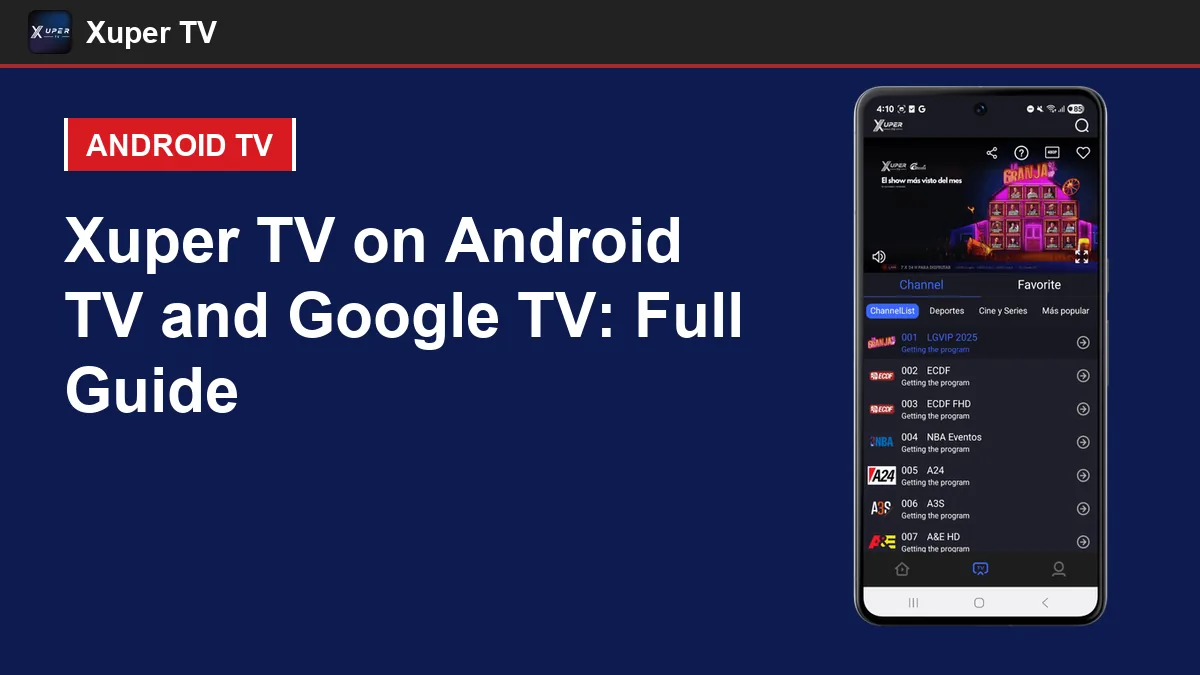
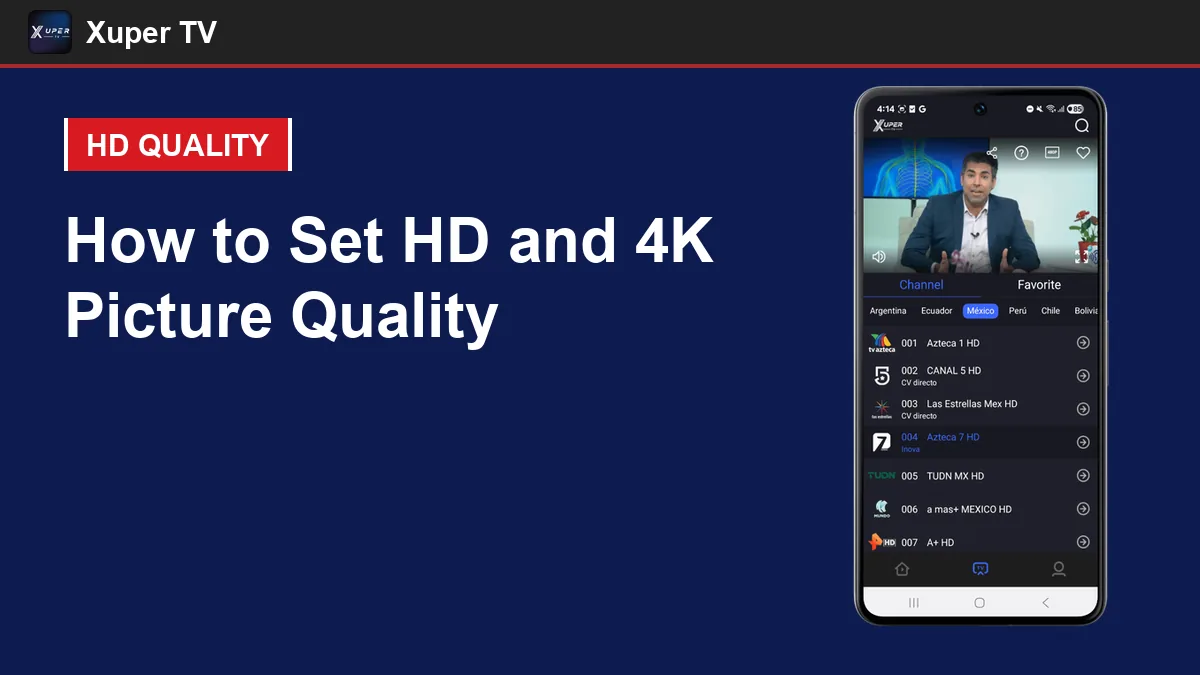
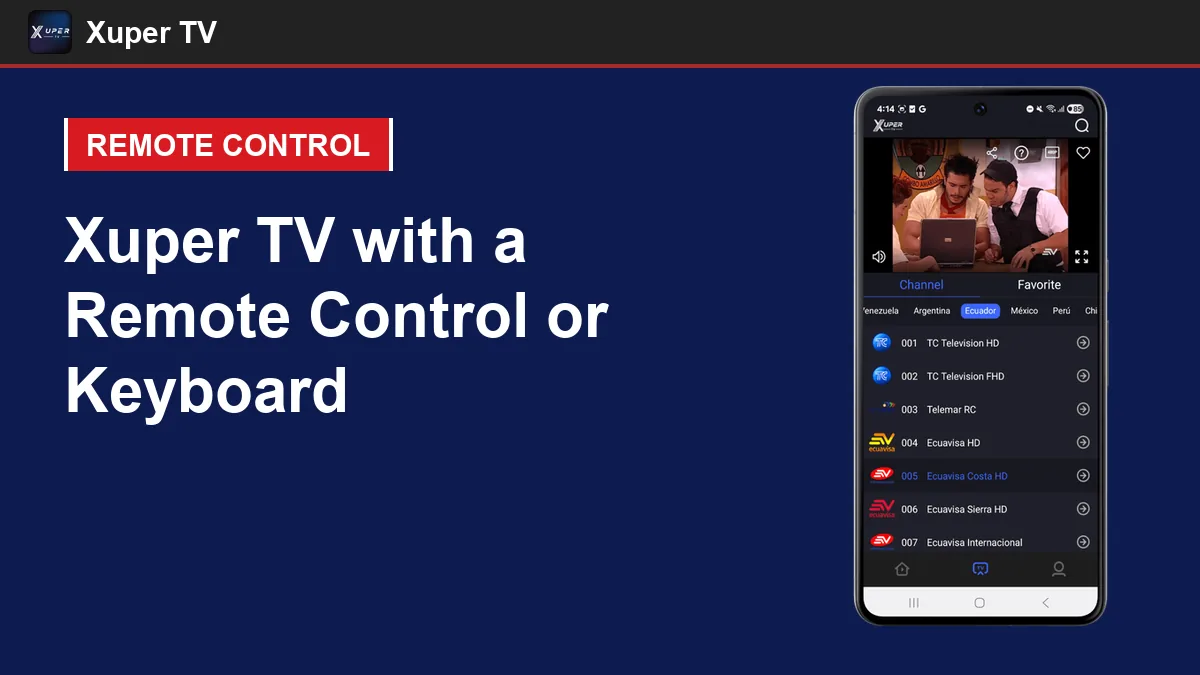
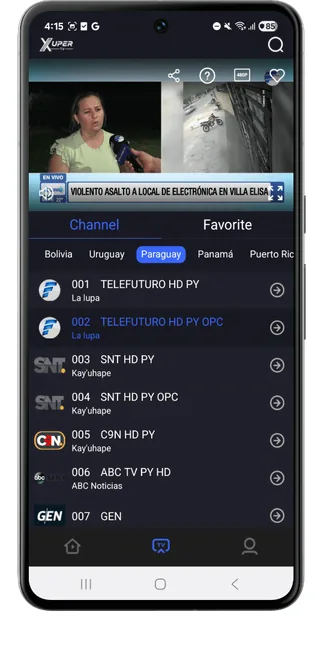
Actual screenshots of the app on an Android phone. Channel logos belong to their respective owners.
Table of contents
- 1 What is Xuper TV APK?
- 2 From Magis TV to Xuper TV
- 3 Main Functions of Xuper TV
- 4 What changes in version v7.8.1
- 5 How to download and install Xuper TV APK
- 6 Mobile APK or TV APK?
- 7 How to use Xuper TV
- 8 Xuper TV on PC, iPhone and Smart TV
- 9 System Requirements
- 10 Advantages and disadvantages
- 11 Is it safe to download Xuper TV?
- 12 Common Problems and How to Solve Them
- 13 Alternatives to Xuper TV
- 14 Tips to Improve Your Image and Signal
- 15 Conclusion
- 16 Frequently Asked Questions
What is Xuper TV APK?
Xuper TV APK is the Android installation file for Xuper TV, a streaming application that organizes live television by country and includes a catalog of on demand movies and series. Since the app is not available on the Google Play Store, it is installed manually from an APK file, a common practice among independent video applications.
The idea is simple: you open the app, choose your country from the top bar, and the channel list appears with its number, name, and, when data is available, the program currently airing. On the same screen, you can mark your favorites for easy access and switch to the movies and series section when you prefer something without a schedule.
There are two installers. The mobile APK is designed for phones and tablets with touch controls, while the TV APK is designed for Android TV, Google TV, and TV Box, where everything is controlled with the remote. The two buttons on this page link to those files.
From Magis TV to Xuper TV
Many people come to Xuper TV looking for Magis TV. This is no coincidence: Xuper TV filled the void left by that app and maintains a very similar way of working, with channels grouped by country, an on demand content section, and two separate versions for phones and TVs.
If you're coming from Magis TV, you'll notice the change in name, logo, and colors, but the logic is familiar. The important thing is not to mix installers: uninstall the old app first, and then install Xuper TV. This will prevent the conflicting package error explained below.
Main features of Xuper TV
This is what you'll find when you open the app. We've described it as we see it in the version we linked to, without promising specific channels, because the offering changes over time and depending on the region.
Live channels sorted by country
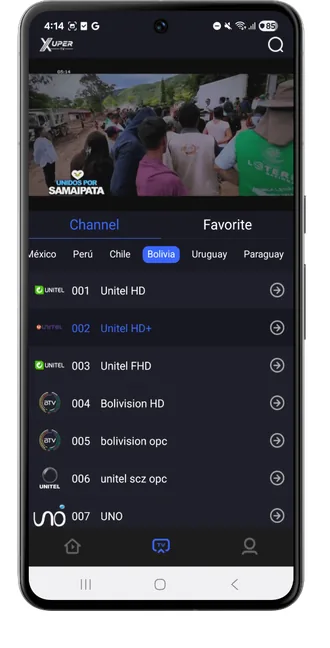
The channels tab has a bar with countries like Mexico, Colombia, Ecuador, Peru, Chile, Argentina, Bolivia, Paraguay, Uruguay, and Venezuela. Tapping one instantly updates the list, and each channel appears with its three digit number, making it easy to find the one you want.
Guide to what's on now
Below the name of many channels, you'll see the program currently playing. When the app is still loading this data, a "please wait" message appears; if it stays like this for a long time, simply return to the list.
Favorites in a separate tab
Next to the main list is the Favorite tab. Each channel has an icon to save it, so you can create your own guide with the five or ten channels you actually watch and stop searching through hundreds.
Thematic categories
In addition to countries, there are also sections by topic: general list, sports, movies and series, or most popular. These are useful when you're not sure what to watch and want something specific, like a game.
Movies and series on demand
Beyond live TV, the app offers an on demand content section with listings for movies and series. We explain this in more detail in the categories guide.
Full screen player
The video fills the top of the screen and expands to full screen with a tap. From the player, you can share, mute the audio, and, on some channels, choose a different video quality.
Adaptable quality
Several channels offer both standard definition and HD signals, sometimes labeled FHD in the name. If your internet connection is slow, it's best to choose the lower speed option. We explain step by step how to adjust HD and 4K quality.
No registration required
To start viewing, you don't need to create an account or provide an email address. You open the app and the list is already available, which is appreciated when you just want to try it out.
Version designed for television
The TV APK changes the interface so that everything is controlled with the remote's arrow keys. It's more convenient on a large screen than installing the mobile version on a TV Box.
What changes in version v7.8.1
The build we're linking to now is v7.8.1. As with almost all apps of this type, each new version fixes playback issues, adjusts the channel list, and improves stability on slower devices. There are no official public release notes for each change, so we won't provide one for you.
What you can do is check which version you have. On Android, go to Settings, Applications, Xuper TV, and look at the number at the bottom of the listing. If it's lower than the one on this page, download the APK again and install it over the existing one: your favorites are retained when the file is signed with the same key.
Tip: If the app starts malfunctioning right after updating, clear the cache from your Android settings before uninstalling. Often that's enough.
How to download and install Xuper TV APK
The mobile APK is 51.1 MB and the TV APK is 32.4 MB, so the download is quick even using mobile data. Here are the steps on an Android phone:
- Step 1: Choose the file. Tap the mobile APK button if you're going to use the app on your phone or tablet.
- Step 2: Wait for the download. The browser will save the file to your Downloads folder. If you see a warning that the file may be harmful, it's the standard message that Android displays with any APK.
- Step 3: Allow the installation. Open the file from the notification. Android will ask for permission to install apps from the browser or file manager; activate it only for that app.
- Step 4: Install. Tap Install and wait a few seconds. If Play Protect asks, you can request that it scan the file before continuing.
- Step 5: Open Xuper TV. Tap Open, accept the basic permissions requested by the app, and choose a country from the top bar.
- Step 6: Remove the permission. Go back to the settings and disable installation from unknown sources for the browser again.
Are you seeing "App not installed"? This usually means you already have a version signed with a different key, such as an older copy or Magis TV. Uninstall it, restart your phone, and reinstall. The complete guide is available in Xuper TV reinstallation guide.
Mobile APK or TV APK?
The question comes up daily. The answer depends on the screen you're viewing it on and how you control it.
| Aspect | Mobile APK | APK for TV |
| Size | 51.1 MB | 32.4 MB |
| Ideal device | Phone and tablet | Android TV, Google TV and TV Box |
| Control | Touch screen | Remote control with arrows |
| Interface | Vertical, list below the video | Horizontal, large menus |
| How to install | From the browser | Using Downloader or a USB drive |
On an Android TV, the best option is the TV APK. Instructions for installing it with your remote control are available in Xuper TV for Smart TV guide, and if your device is an Android TV or Google TV, you can find them in the Android TV and Google TV guide.
How to use Xuper TV
The first time you open the app, it's a good idea to take a minute to organize it. That way, it's ready for everyday use.
- Choose your country: slide the top bar and tap the country whose channels you want to see.
- Open a channel: tap its name and the video will start at the top.
- Save favorites: use the icon for each channel and check the Favorite tab.
- Search: The magnifying glass in the upper corner finds channels and titles by name.
- Full screen: Tap the zoom icon or rotate your phone.
- Switch sections: the bottom bar takes you to the homepage, live TV, and your profile.
If you're using a TV Box without a touchscreen, you'll use the arrow keys and the center button. Our guide on remote controls and keyboards covers the most time saving shortcuts.
Xuper TV on PC, iPhone and Smart TV
The APK is for Android, but that's not the only possible screen. On a Windows computer or a Mac, you can use it within an emulator; the steps are in Xuper TV for PC. On iPhone and iPad, an APK doesn't install, and in Xuper TV on iPhone we explain the available options. For televisions, the Smart TV, TV Box, and Fire TV guide explains each case.
System requirements
Xuper TV is lightweight and runs on modest systems. This table summarizes our recommendations based on our tests, not an official specifications sheet:
| Requirement | Recommendation |
| System | Android 5.0+ |
| RAM | 2 GB or more to switch channels smoothly |
| Free space | Approximately 200 MB between the APK, the app, and the cache |
| SD connection | 5 Mbps stable |
| HD connection | 10 Mbps or more |
| 4K connection | 25 Mbps or more, preferably wired or 5 GHz WiFi |
Advantages and disadvantages
Advantages
- Live channels grouped by country
- Movies and series in the same app
- It does not require creating an account.
- TV specific version
- Lightweight file that installs in seconds
Disadvantages
- Absent from the official Android and Apple stores
- The channel list changes without notice
- Some menus are still in English
- The quality depends a lot on your connection
Is it safe to download Xuper TV?
An APK is only as safe as its source. These checks take a minute and you can do them yourself:
- Download only from the button on this page and be wary of copies with strange names.
- Leave Google Play Protect enabled and allow it to scan the file during installation.
- The app does not need your contacts, your SMS messages, or your precise location to work.
- Never enter bank details into a streaming app installed via APK.
- Disable installation from unknown sources when finished.
Also, keep the legal aspects in mind. Broadcasting rights for many channels and events vary by country, so you're responsible for using the app in accordance with the laws of your location. If anything in the installer doesn't match this list, cancel and contact us through the contact page.
Common problems and how to solve them
- The channels aren't loading: close the app, check your speed, and reopen it; if the problem persists, clear the cache in Settings, Applications, Xuper TV, Storage
- The video keeps cutting out: choose the SD version of the channel or move the device closer to the router
- App not installed: Uninstall any previous version or Magis TV and reinstall
- Black screen with audio: Enable hardware acceleration in the player settings if it appears, or restart your phone or TV Box
- The program guide isn't appearing: please wait a few seconds; that information will arrive after the list.
If nothing works, the cleanest solution is to completely uninstall Xuper TV and start over with the latest APK.
Alternatives to Xuper TV
If you're looking for free licensed television, there are legal services that work well on Android and TV:
Pluto TV
Hundreds of free, ad supported themed channels and an on demand section. It's available on Google Play and most TVs.
ViX
Spanish language platform with a free plan that includes live channels, soap operas, and movies.
Tubi
Extensive catalog of free movies and series, financed by advertising, available in many countries in the Americas.
Plex
In addition to its multimedia server, it offers free channels and on demand movies with advertising.
Tips for improving image and signal
- If your TV Box supports Ethernet cable, use it: the signal is much more stable than via WiFi.
- Save your channels to favorites so you don't have to scroll through the list every time.
- Clear the app's cache once a month if you notice it takes a long time to open.
- Close other video apps running in the background before watching a game.
- Update the APK when the version number on this page changes.
Conclusion
Xuper TV is a convenient way to enjoy live Latin American television and on demand content on your phone or TV, with an easy to use interface and a small file size. Choose the APK that corresponds to your screen, install it at your leisure, save your favorite channels, and return to this page whenever you want the latest version.
Frequently Asked Questions
Is Xuper TV free?
Yes. The app is free to download and install, and it doesn't require a subscription to view the channel list.
How much does Xuper TV APK weigh?
The mobile APK weighs 51.1 MB and the TV APK 32.4 MB. Once installed, the app takes up slightly more space due to the cache.
Do I need to create an account?
No. You can open the app and start watching without registering.
Which version of Android do I need?
We recommend Android 5.0+. You can install it on older devices, but we don't guarantee it will work properly.
What is the difference between the mobile APK and the TV APK?
The mobile version is designed for touchscreens, and the TV version is designed to be operated with the remote control on Android TV, Google TV, and TV Box.
Can I install Xuper TV on an iPhone?
No. iPhone and iPad don't install APK files. Check out our iOS guide if you'd like to see other options.
Is it the same as Magis TV?
It's not the same app, although it works similarly and many people use it as a replacement.
How often do they update the link?
When a new version is released, we change the file and the number you see on this page, so they always match.